
Plan
Write the week once.
A routine or a programme of up to 26 weeks, from Kobu's 2,130 exercises. Your client's phone picks up every change.
For coaches Pilot
Your clients train in Kobu. You write their plan, see the sessions they choose to share, check in every week and book their sessions, on your iPhone or on a full dashboard on the web.
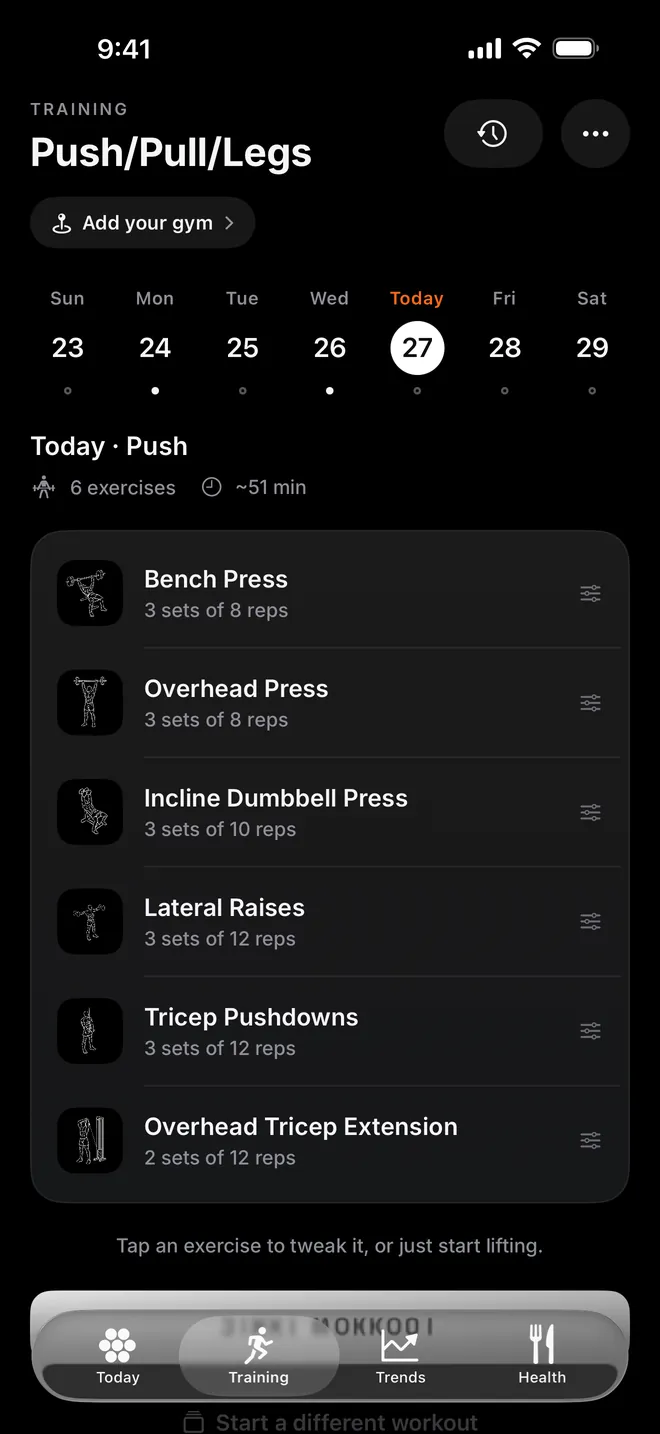
Plan
A routine or a programme of up to 26 weeks, from Kobu's 2,130 exercises. Your client's phone picks up every change.
Coach
Weights, reps and body weight as they train, a check-in every week, and messages in one thread per client.
Book
Set your weekly hours and gym. Clients book an open slot in the app and get a reminder an hour before.
What you get
Online clients and the ones you see at the gym, in one place.
Write a client's routine or a programme week by week. Their phone picks up every change, and templates let you reuse what works.
See the sets, weights and body weight your client chooses to share, with progress at a glance and private notes only you can read.
One to one with each client, with a notification for every message. Either side can report a message or block.
An intake form when a client joins and a check-in every week, answered in the app and kept together for you.
Set calorie and macro targets that become the client's food goals. They can share their daily totals, never the foods, and tick off the habits you set.
Set your weekly hours and location. Clients book an open slot in the app, you can book them at any time, and your client gets a reminder an hour before.
On the web
Program a whole roster at a desk. Sign in with your email or the Apple ID you use in Kobu, at joinkobu.app/dashboard.
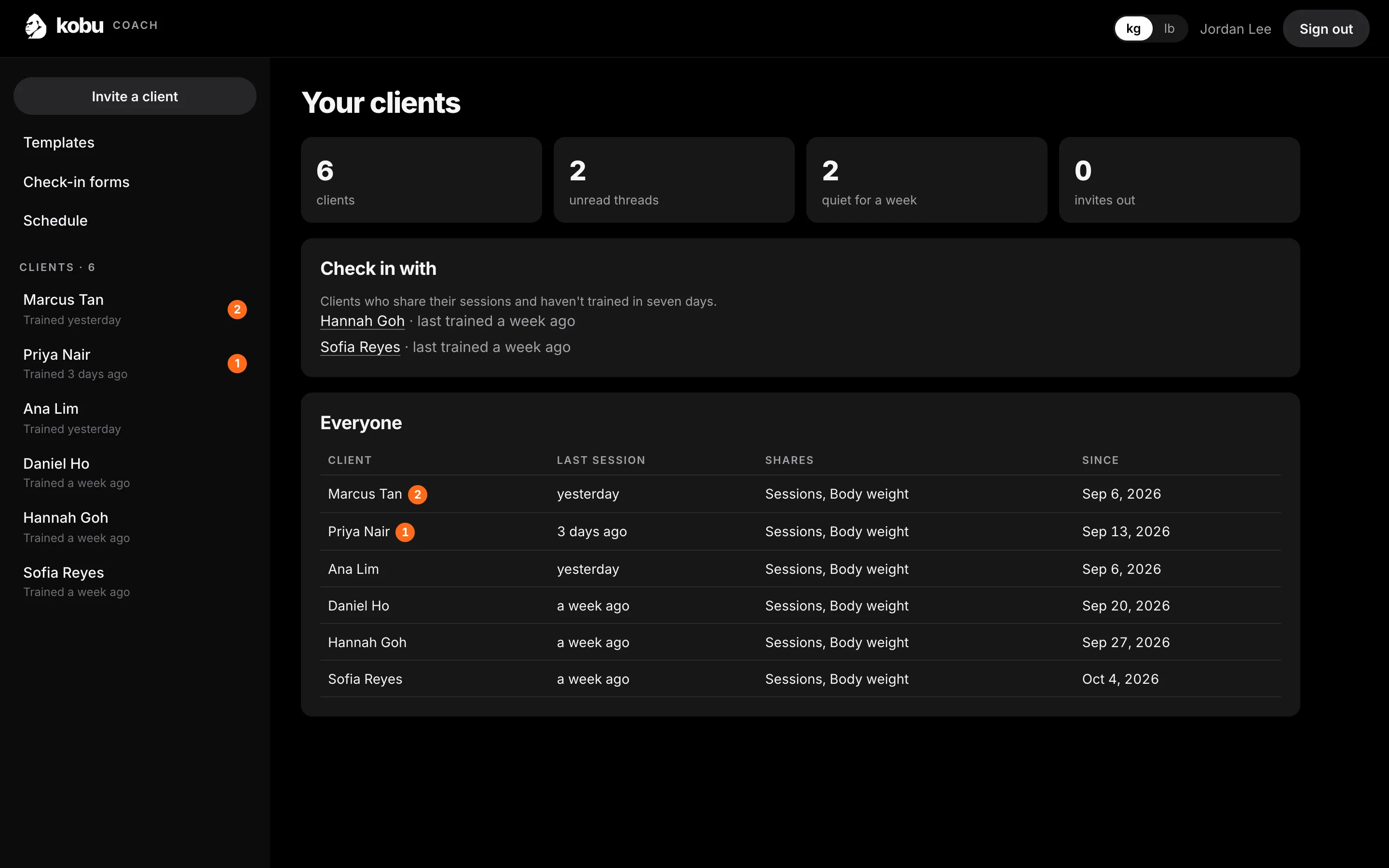
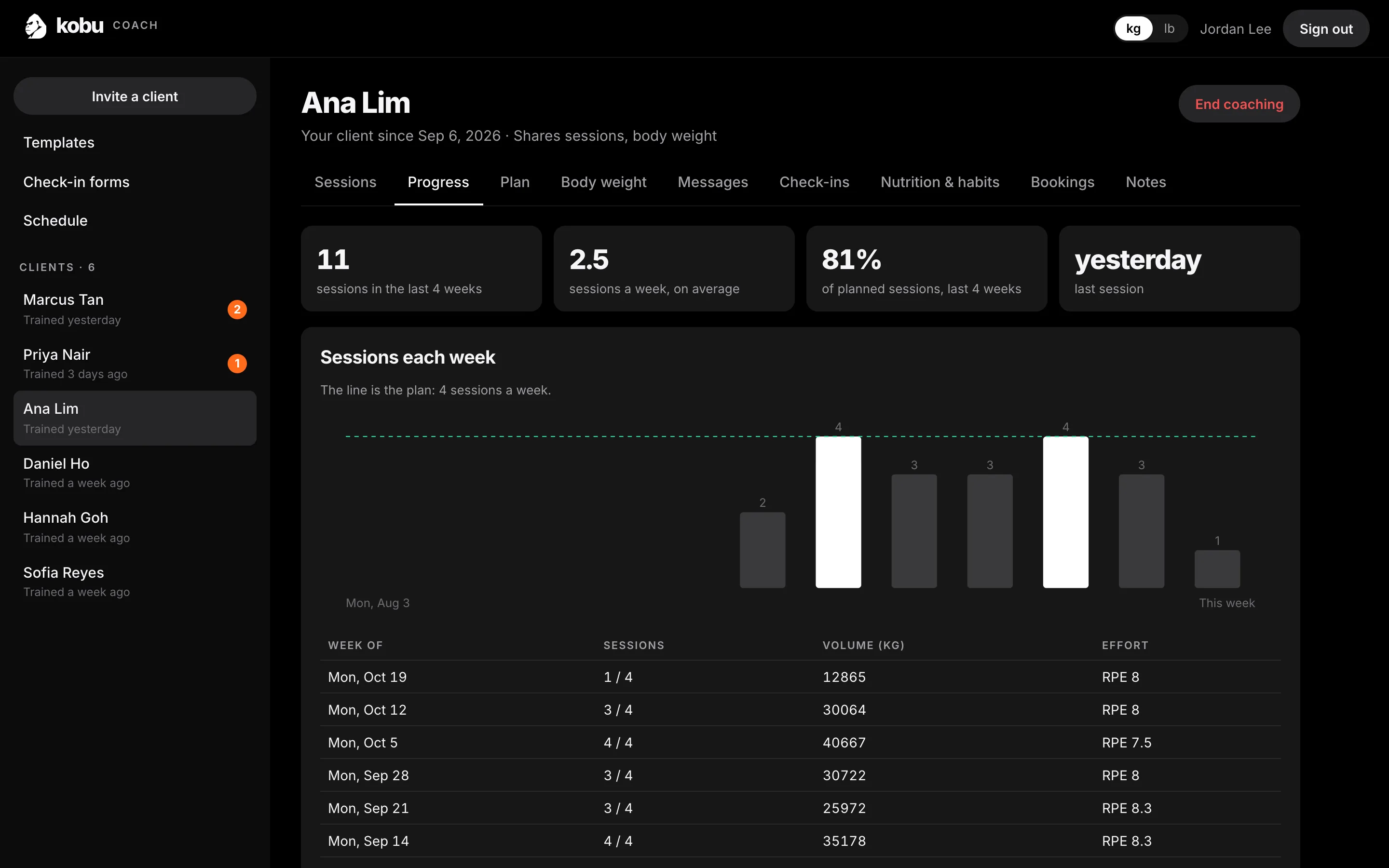
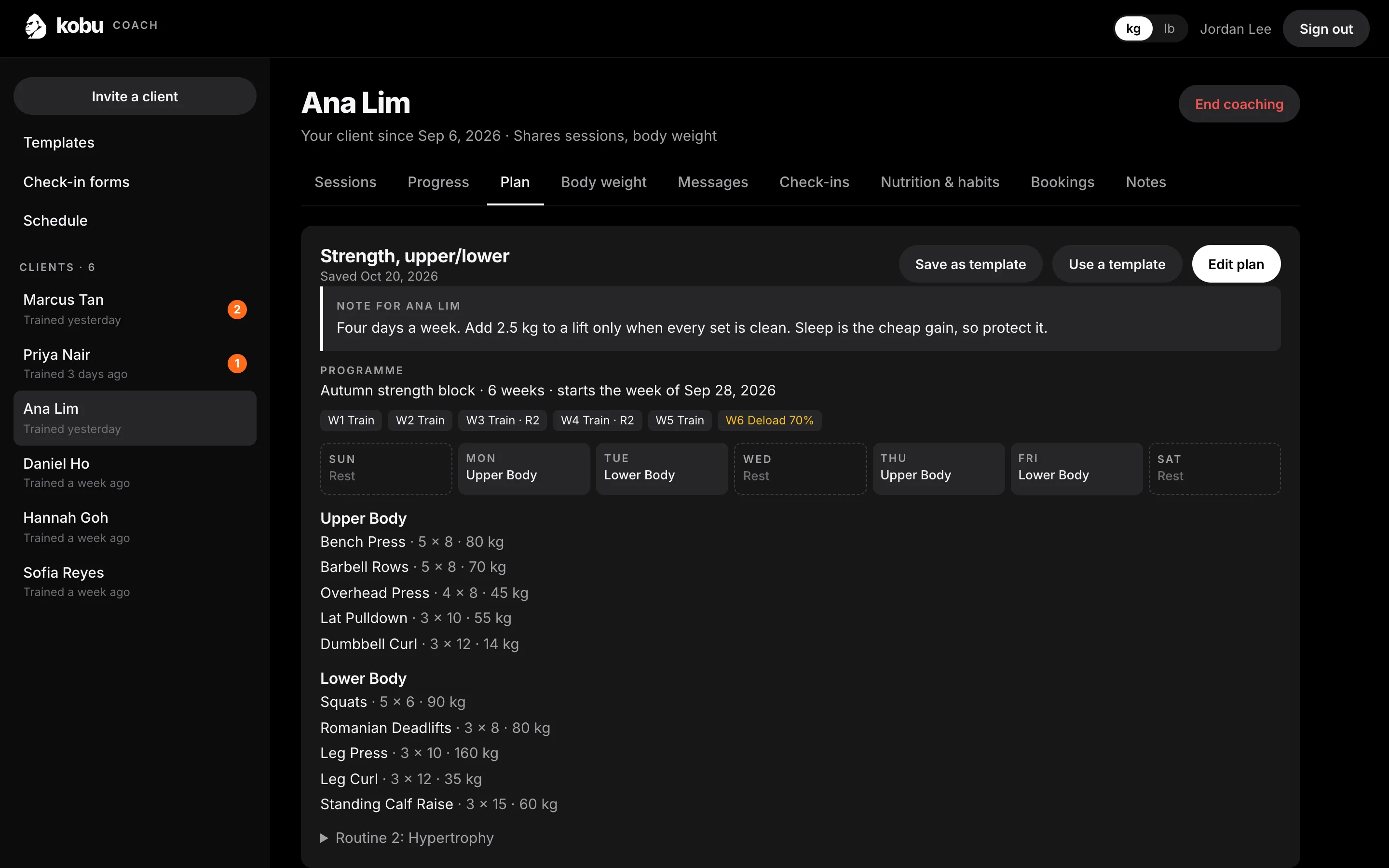
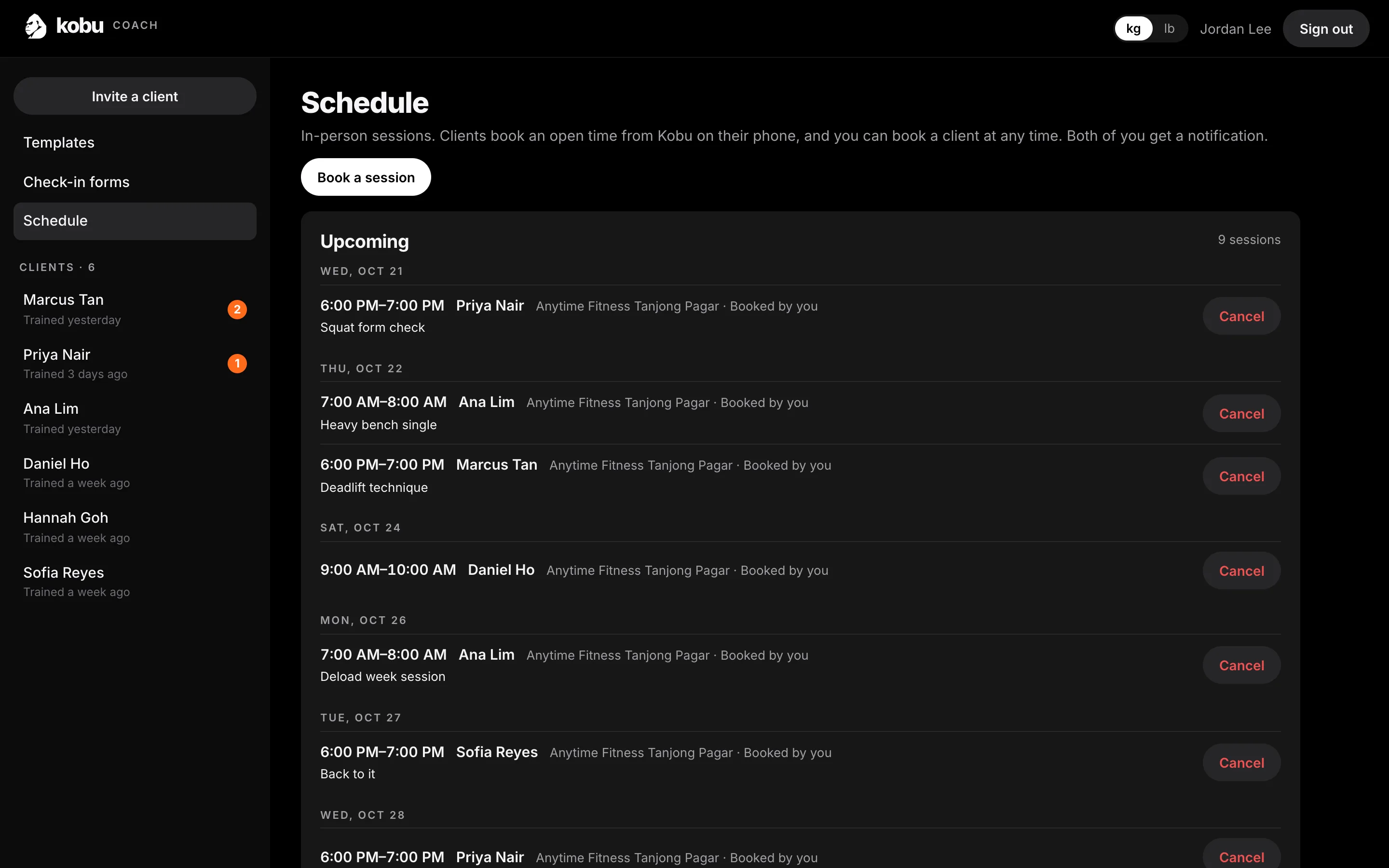
Demo data. Every name on these screens is made up.
Every upcoming session across all your clients, and your hours in one place.
Exercises, sets, reps and weights for each day, from Kobu's own exercise list, with templates to reuse.
Sessions, body weight, check-ins, nutrition, habits, bookings and your notes, one tab each.
How to start
Open the coach dashboard, sign in with your email or Apple, and add the name your clients will see. You can start in the Kobu app too.
Straight away. Send each client their own link. They choose what you see before they accept, and they can stop sharing at any time.
Publish a public profile and athletes can find you in Find a coach. We review every profile before it's listed. Questions? Write to support@joinkobu.app.
Kobu doesn't take payments yet, so keep billing your clients the way you do today. Clients need an iPhone. How coaching uses data
Already coaching on Kobu?
Sign in with your email or Apple to see your clients, their sessions and your schedule.